
Salesforce Administration and CRM Strategy
Description
Program summary
Format: Delivered online. If a specific program includes live sessions, an on-campus visit, or any in-person component, this will be clearly stated on the program page.
What you will gain:
• Align CRM strategy with lifecycle, pipeline, and service workflows
• Configure core Salesforce components: data, permissions, processes
• Improve visibility through dashboards and KPI reporting
• Strengthen data governance and quality for long-term adoption
Who should attend:
CRM administrators, sales operations, customer success teams, sales managers, and CRM transformation project members.
Course outline
1. CRM strategy: lifecycle, segmentation, pipeline and target model
2. Salesforce fundamentals: objects, fields, permissions
3. Process automation: workflow approach and best practices
4. Reporting: KPIs, dashboards, executive views
5. Data governance: standards, ownership, quality controls
Modules
10
What is included
Lessons
123
Review the module structure and lesson flow before enrollment.
Content sections
4
Review the sections below and open only the one you need. The summary panel on the side keeps the long explanation separate and readable.
Course Curriculum
Module roadmap
Review the module structure and lesson flow before enrollment.
Module 1
Salesforce Fundamentals and Platform Architecture
Module 2
CRM Strategy and Sales Process Design
Module 3
Salesforce Configuration and Customisation
Next step
Add to Cart
You can add the product to your cart and proceed to the payment step.
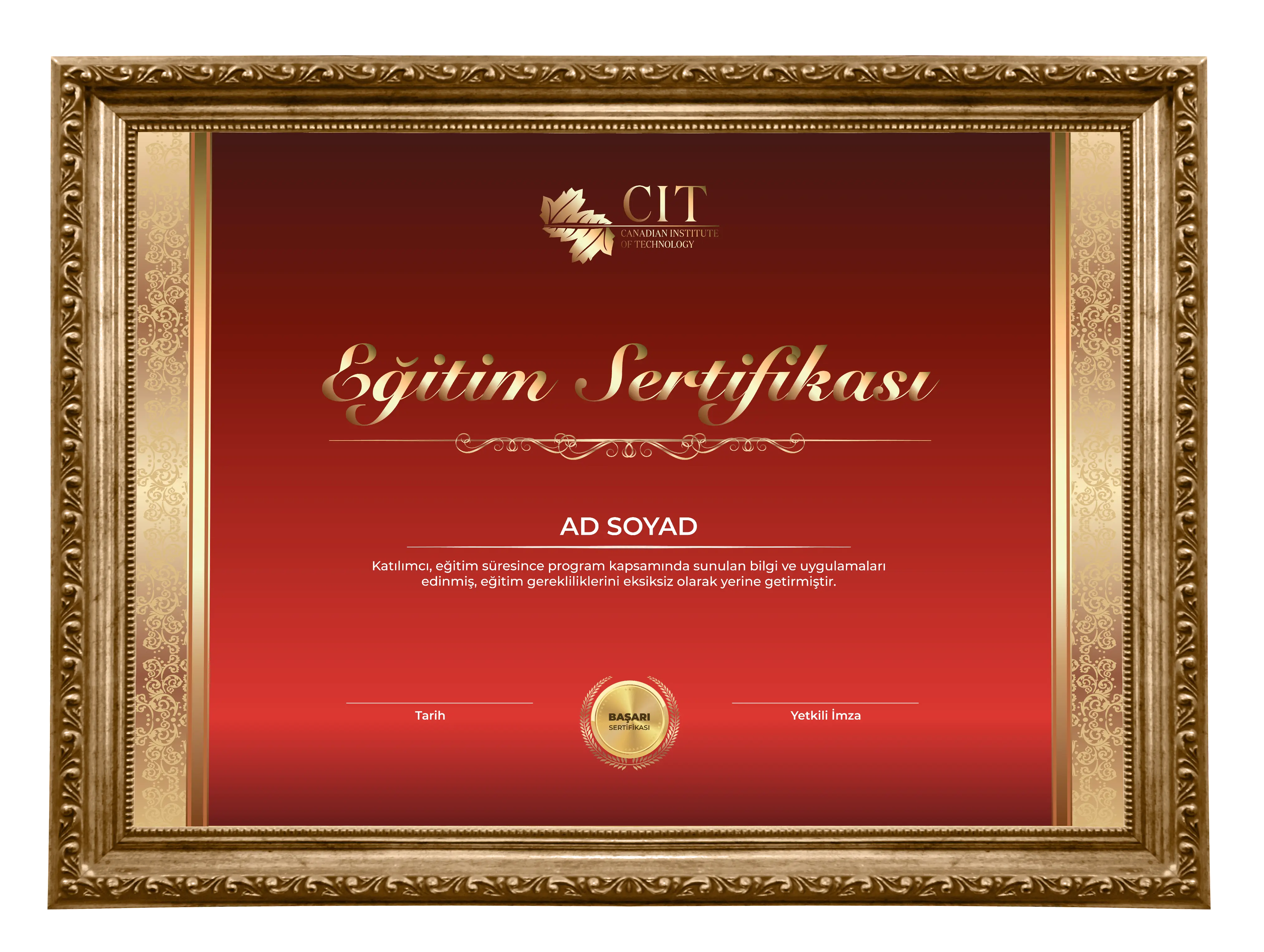
Sample certificate
Preview the institution-issued certificate style learners can expect after successfully completing the program.
What is included
Course Curriculum
Review the module structure and lesson flow before enrollment.
What Is Salesforce: Cloud CRM, Platform Ecosystem and Market Position
Salesforce Architecture: Orgs, Instances, Metadata and the Multi-Tenant Model
The Salesforce Product Suite: Sales Cloud, Service Cloud, Marketing Cloud and Beyond
Navigating Setup: The Admin's Control Panel
User Management: Profiles, Roles, Permission Sets and Licence Types
The Salesforce Data Model: Objects, Fields, Records and Relationships
Standard vs Custom Objects: When to Use Each
Field Types: Text, Number, Picklist, Lookup, Formula and More
Organisation-Wide Defaults and the Sharing Model
Salesforce Editions: Essentials, Professional, Enterprise and Unlimited
Sandboxes and Environments: Developer, Partial and Full Copy
Salesforce Release Cycles: Spring, Summer and Winter Updates
What Is CRM Strategy: Aligning Technology with Business Goals
Designing the Lead-to-Cash Process in Salesforce
Lead Management: Capture, Scoring, Assignment and Conversion
Account and Contact Management: Hierarchies, Relationships and Data Quality
Opportunity Management: Stages, Probability and Forecast Categories
Sales Methodologies in Salesforce: MEDDIC, Challenger and SPIN Selling
Pipeline Management: Forecasting, Hygiene and Inspection
Activity Management: Tasks, Events, Emails and Call Logging
Quoting and CPQ Fundamentals: Products, Price Books and Quotes
CRM Adoption: Getting Sales Teams to Use Salesforce Consistently
Defining KPIs and Success Metrics for Your CRM Programme
CRM Governance: Data Ownership, Stewardship and Change Management
Page Layouts: Customising What Users See on Records
Lightning App Builder: Building and Customising Pages with Drag-and-Drop
Compact Layouts and List Views: Optimising the User Experience
Record Types: Serving Multiple Business Processes on One Object
Validation Rules: Enforcing Data Quality at the Point of Entry
Formula Fields: Calculating Values Dynamically Across Records
Roll-Up Summary Fields: Aggregating Child Record Data on Parent Objects
Custom Settings and Custom Metadata Types: Configuration Without Code
Path and Guidance for Success: Coaching Users Through Key Stages
Global Actions and Quick Actions: Streamlining Common User Tasks
Dynamic Forms: Conditional Field Visibility Without Page Layouts
Einstein Features for Admins: Activity Capture, Scoring and Insights
AppExchange: Evaluating, Installing and Managing Third-Party Apps
Custom Tabs, Apps and Navigation: Building a Branded Experience
Automation in Salesforce: Choosing the Right Tool for the Job
Flow Builder Fundamentals: Screen Flows, Record-Triggered Flows and Scheduled Flows
Building Your First Record-Triggered Flow: Field Updates and Notifications
Screen Flows: Guided User Experiences and Data Collection
Flow Logic: Decisions, Loops, Assignments and Error Handling
Subflows and Reusable Flow Components
Scheduled Flows: Batch Processing and Time-Based Automation
Approval Processes: Multi-Step Approvals with Conditional Logic
Email Alerts and Templates: Automated Communication at Scale
Legacy Automation: Understanding Workflow Rules and Process Builder
Migrating Legacy Automation to Flow: Strategy and Best Practices
Automation Governance: Testing, Debugging and Managing Complex Flows
Flow Performance and Governor Limits: Building Automation That Scales
Einstein Bots and Automation: AI-Powered Workflows
Salesforce Data Architecture: Storage, Limits and Data Hierarchy
Data Import Tools: Data Import Wizard and Data Loader
Data Quality Management: Deduplication, Standardisation and Enrichment
Data Export, Backup and Recovery Best Practices
External IDs and Upsert: Managing Data Synchronisation
Salesforce Integration Patterns: Real-Time, Batch and Event-Driven
REST and SOAP APIs: How Salesforce Integrates with External Systems
MuleSoft and Integration Platforms: Connecting Salesforce to Your Tech Stack
Salesforce Connect and External Objects: Accessing Data Without Importing It
Change Data Capture and Platform Events: Event-Driven Architecture
Master Data Management in Salesforce: Single Source of Truth Strategy
GDPR, Data Retention and Privacy in Salesforce
Data Migration Projects: Planning, Execution and Validation
Salesforce Reports: Report Types, Formats and Filters
Tabular, Summary, Matrix and Joined Reports: When to Use Each
Custom Report Types: Reporting Across Related Objects
Bucketing, Cross-Filters and Historical Trending in Reports
Dashboards: Building Visualisations for Different Audiences
Dynamic Dashboards: Personalised Views by User
Salesforce Analytics and CRM Analytics: Einstein Dashboards and Lenses
Forecasting in Salesforce: Collaborative, Territory and Pipeline Forecasts
Operational Reporting for Sales Leaders: Pipeline, Activity and Conversion
Report Subscriptions and Scheduled Reporting
Reporting on Custom Objects and Cross-Object Data
Building an Executive Dashboard: Design Principles and Stakeholder Alignment
Service Cloud Overview: Cases, Entitlements and Service Console
Case Management: Lifecycle, Assignment Rules and Escalation
Entitlements and Milestones: Managing SLAs in Salesforce
Knowledge Management: Articles, Data Categories and Search
Omni-Channel Routing: Directing Work to the Right Agent
Service Console: Productivity Tools for Support Teams
Self-Service Portals and Experience Cloud for Customer Support
Service Analytics: Measuring Customer Support Performance
Field Service Lightning: Managing Mobile Workforces
AI in Service Cloud: Einstein Case Classification and Next Best Action
Designing a Multi-Channel Service Strategy in Salesforce
Salesforce Security Model: The Five Layers of Access Control
Profiles vs Permission Sets vs Permission Set Groups: Best Practice
Field-Level Security and Object Permissions
Sharing Rules, Manual Sharing and Teams
Apex Managed Sharing and Programmatic Access Control
Health Check and Security Score: Assessing Your Org's Security Posture
Audit Trail, Login History and Event Monitoring
Shield Platform Encryption: Protecting Data at Rest
Salesforce and Regulatory Compliance: GDPR, HIPAA and SOC 2
Identity Management: SSO, MFA and Connected Apps
Governance Frameworks for Salesforce Orgs: CoE and Change Control
Org Hygiene: Technical Debt, Unused Automation and Metadata Cleanup
Change Sets: Deploying Configuration Between Environments
Salesforce DX and Source-Driven Development
Version Control with Git for Salesforce Projects
CI/CD for Salesforce: Automating Deployments with GitHub Actions and Copado
Metadata API and the Tooling API: Programmatic Org Management
Managed and Unmanaged Packages: Installing and Building
Release Management Best Practices: Planning, Testing and Rollback
Unit Testing and Apex Test Classes: Meeting the 75% Coverage Requirement
User Acceptance Testing for Salesforce Releases
Documentation Standards for Salesforce Admins and Architects
Scratch Orgs and Environment Strategy for Development Teams
Scaling Salesforce: Architecture Decisions for Growing Organisations
Multi-Org vs Single-Org Strategy: When to Split and When to Consolidate
Salesforce for Enterprise: Large-Scale Implementation Considerations
CRM Health Assessment: Auditing an Existing Salesforce Implementation
Salesforce Roadmap Planning: Aligning Technology with Business Strategy
Building the Business Case for Salesforce Investment
Working with Salesforce Partners and Consultants
Salesforce Certifications: Admin, Advanced Admin, Platform App Builder and Beyond
Preparing for the Salesforce Administrator Exam: Domains and Study Strategy
Career Pathways in the Salesforce Ecosystem: Admin, Architect, Developer and Consultant
Salesforce Trailhead and the Trailblazer Community
Course Conclusion: Your Salesforce Administration and CRM Career
Program details
Content sections
Review the sections below and open only the one you need. The summary panel on the side keeps the long explanation separate and readable.